Own photo
Try-on
The decision happens on the product page, not at the cart.
The shopper sees the product on their own photo and compares slim, regular and relaxed side by side. Drag the slider and try it.

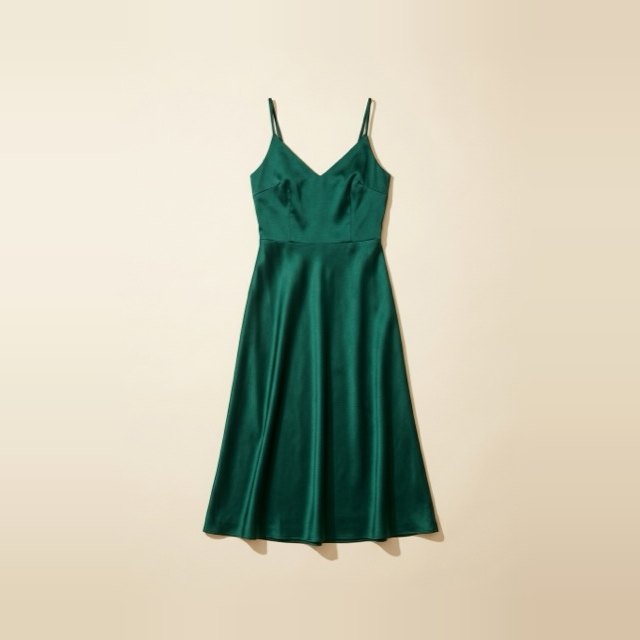
Crepe Midi DressSize M · Exchange request
Brands running YourSizer on their product pages
Every product group has its own sizing logic: the waist on a dress, the seat depth on an armchair, the strap length on a watch. The engine recognises the category and reads the measurement accordingly — size in apparel, dimensions in furniture, fit in jewellery.
02Experience
They all feed on the same measurement profile. The shopper gives their measurements once; size recommendation, try-on and returns analysis all run on that data.
Own photo
Try-on
The shopper sees the product on their own photo and compares slim, regular and relaxed side by side. Drag the slider and try it.
How would you describe your waist?
Height, weight and a few body-type questions. A measurement profile comes out, gets matched against that product's fit — and returns one size plus how one down and one up would sit.
Two products from the same brand don't sit the same in the same size. The engine measures that difference and writes it into the recommendation.
Which product, which size and on what grounds it came back — all on one screen.
The shopper opens the request, the shipping code is issued. The support team isn't handling them one by one.
03Personalisation
The same product sits differently on two people with different measurements — which is why we don't tell everyone the same size. The recommendation comes from comparing your measurement profile with that product's own size chart.
“Perfect fit, I took my usual size.” 1.68 m · 61 kg · took M
“Shoulders felt snug, go one size up.” 1.74 m · 78 kg · took S — doesn't match your measurements
04Try-on
This is not a studio shoot — it's a real frame sequence produced by Try-On. The shopper uploads their own photo, sees the product on themselves, and the decision goes straight to the cart.
The frames beside this are real Try-On output; they are not studio shots.
05Flow
Every step triggers the next. And the chain doesn't end at the cart — if a return comes in, its reason flows back into the model, and the same product is recommended more accurately to the next shopper.
06What we measure
What builds up in the dashboard while the widget runs isn't a “usage report”. Four pieces of data emerge that nobody tells you about your catalogue.
The size we recommend and the size the shopper adds to cart aren't always the same. That gap is the clearest signal about the product's fit — visible before the first return arrives.
We put side by side how often each size is recommended in your catalogue and how much of it goes to cart. Where the two diverge is where the fit is talking.
Every brand sells to a different audience. The measurement profiles that build up gradually draw a body map specific to that brand — and the recommendation calibrates to it.
Did the widget open, were measurements entered, did the recommendation come, did it reach the cart. Every step has its own drop-off; you see step by step where you're losing them.
The figures above are a sample dashboard view.
07Learning algorithm
A tool that reads a size chart is exactly as accurate a year later as it was on day one. Ours isn't: every recommendation, every try-on, every size added to cart and every return reason feeds the model.
The model works per brand. What it learns from one brand's shoppers is never carried to another — every catalogue builds its own curve.
08Integration
You're not changing platform. We plug into your existing store; on setups where you write your own front end, over the API.
ShopifyOn the app store
ikasApp
TicimaxOne line of code
T-SoftOne line of code
IdeaSoftOne line of code
WooCommerceSoon
AgesoftSoon09Ecosystem
Each works on its own. Together, one powers the next.
NoShot
Let the product look the way it really is
YourSizer
The right size, and see it on yourself
Resreturn
Returns, exchanges and reason analysis
Resources
453 articles in five languages. From fit differences to the economics of returns, from integration guides to case studies.
Sizing data
Two products from the same brand, the same size, two different fits. The measurable side of fit difference.
8 min read
Returns economics
Shipping, warehouse, inspection, accounting and relisting. The sum of the invisible lines.
6 min read
Integration
A practical route to installing it without hurting page speed or touching theme files.
5 min readFAQ
No. Height, weight and a few body-type questions are enough for a size recommendation. A photo only comes in for Try-On, and only if the shopper wants it.
The widget loads deferred, without blocking the main thread. The product page opens normally; the widget only brings its weight when the shopper taps the button.
It will. At setup we read your catalogue and map the existing measurements; for the products still missing we complete the chart together. The work is on us — you're not expected to prepare a chart.
Measurement data is processed to produce the recommendation. Retention, deletion and processing terms under KVKK and GDPR are defined in the contract; we share a data processing agreement on request.
Yes. YourSizer, Resreturn and NoShot work independently. Used together, return reason data feeds the sizing model; used alone, that loop isn't formed.
On Shopify and ikas the app install takes a few minutes. On other platforms, adding the script tag plus catalogue mapping usually goes live the same day.
Return reasonSize most common
FitRegular
Measurement profileBuilding up with every recommendation
StatusAdded to cart
CategoryApparel active
30 minutes · with your own products
Not a demo store: your product, your size chart, the real widget. By the end of the call you see it running on your own product page.